What the lesson covers
A triangle slides, flips in a mirror line and turns about the origin on a coordinate grid. Students learn the rule for each move and rotate a triangle 90° step by step.
The slides, one by one
1 Reflections, rotations and translations
Three ways to move a shape
Where does the triangle land after a slide of 3 right and 1 up?
2 A translation slides every point the same way
Same size, same shape, same way round
3 A reflection flips the shape in a mirror line
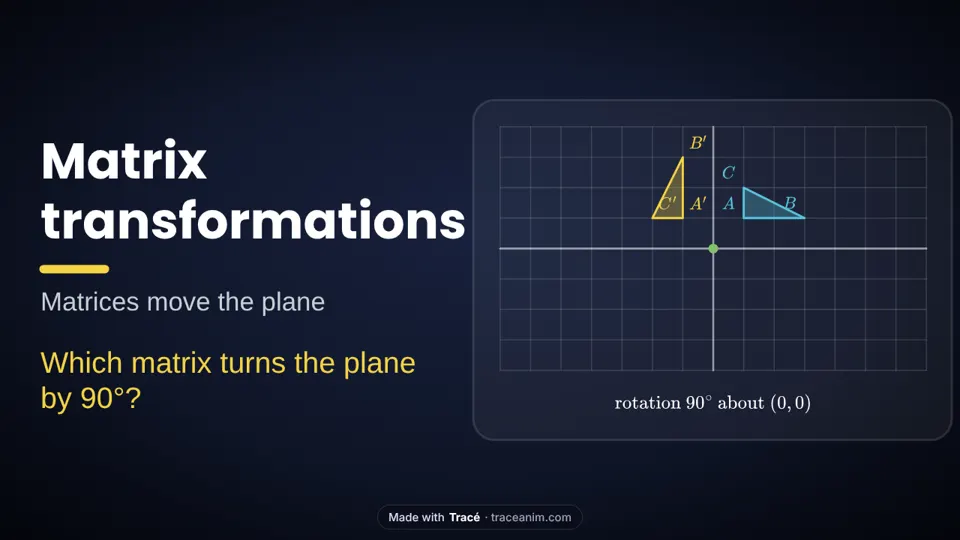
4 Rotating a triangle 90° about the origin
Triangle A(1, 1), B(3, 1), C(1, 2) turns 90° anticlockwise about (0, 0). Find the new corners.
→ Use the rule (x, y) → (−y, x)
A′(−1, 1), B′(−1, 3), C′(−2, 1)
5 Quick check
Reflect the point (4, −2) in the x-axis. Where does it land?
- (−4, −2)
- (4, 2)
- (−4, 2)
- (2, 4)
Show the answer
(4, 2)
Reflecting in the x-axis keeps x and changes the sign of y: (x, y) → (x, −y).
6 What to remember
Translation: add the vector to every point
Challenge: Where does (2, 5) go after a rotation of 180° about the origin?
Every slide is built click by click: text, formulas and pictures come in one step at a time, so the class follows the reasoning instead of reading ahead. Graphs with sliders can be dragged live while you present.
Make your own version with AIChange the level, the numbers or the language: type the topic and get a new deck that moves in about 30 seconds. Free, no account needed.
Questions teachers ask
Which rules are given?
Translation by a vector, reflection in the axes (x, y) → (−x, y) and (x, −y), and a 90° anticlockwise rotation (x, y) → (−y, x).
Are these slides really free?
Yes. Watch them on this page or present them full screen with no account. Making your own copy to edit is free too.
Can I change the slides before my lesson?
Yes. Press "Make my own copy" and the deck becomes one of your projects in the Tracé editor, where you can change the text, the numbers, the colours or the order of the clicks.
Do they work on a classroom projector or an interactive whiteboard?
Yes. They run in the browser on any laptop, so anything that shows your screen works. Press the right arrow or click to go to the next step.