
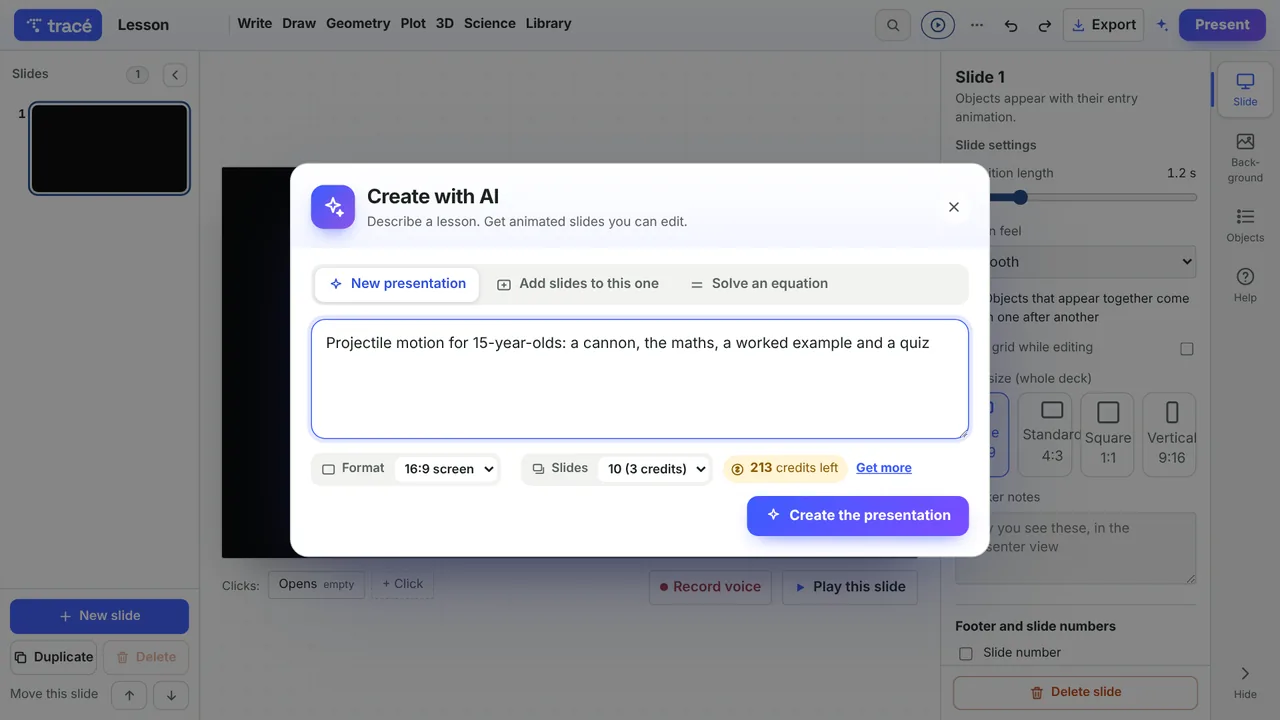
Describe it in a sentence
“A 10-slide talk on why our sales grew in Q3” or “Photosynthesis for 12-year-olds”. Add the audience, the length and the tone if you like.
AI presentation maker
Say what the presentation is about, or upload a PDF or your notes. The AI plans the deck, writes one idea per slide and adds what makes it move: points that appear on a click, charts that grow, diagrams and graphs that animate. You can try it once without an account, and every slide stays editable.
“A 10-slide talk on why our sales grew in Q3” or “Photosynthesis for 12-year-olds”. Add the audience, the length and the tone if you like.
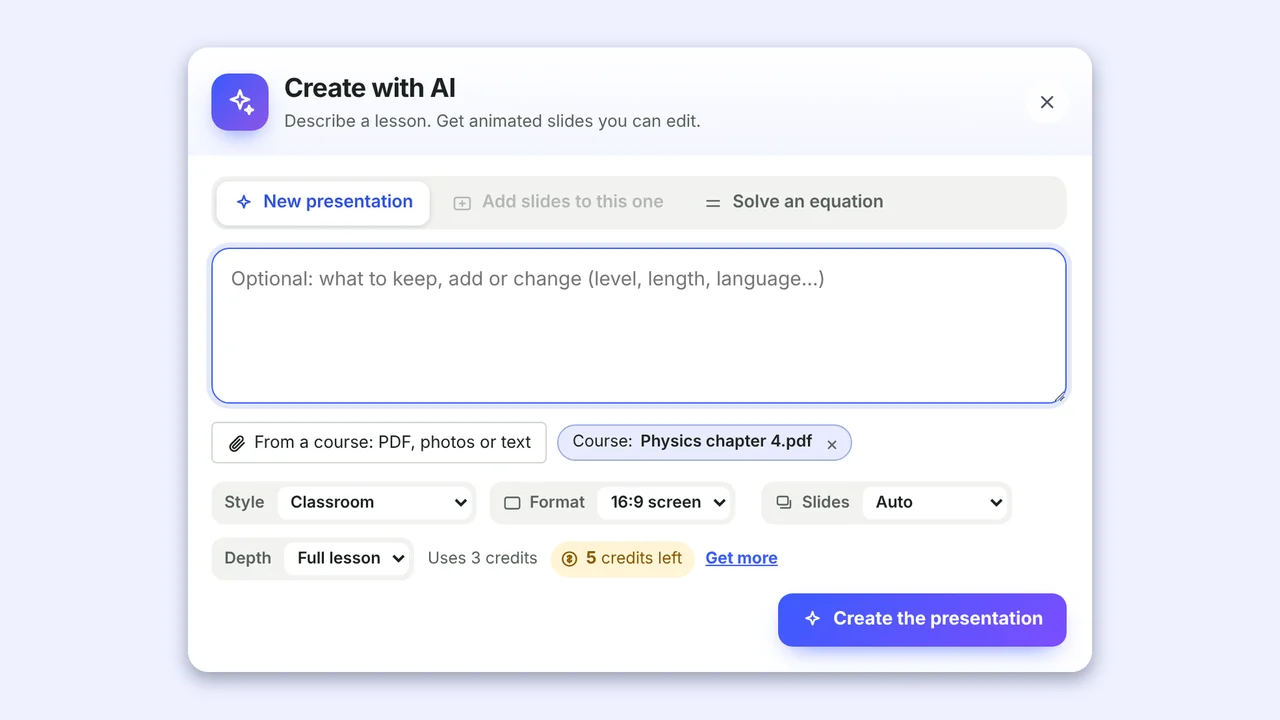
Upload a PDF up to 10 MB, photos of pages or pasted notes. The AI reads all of it first and keeps its facts, figures and examples.
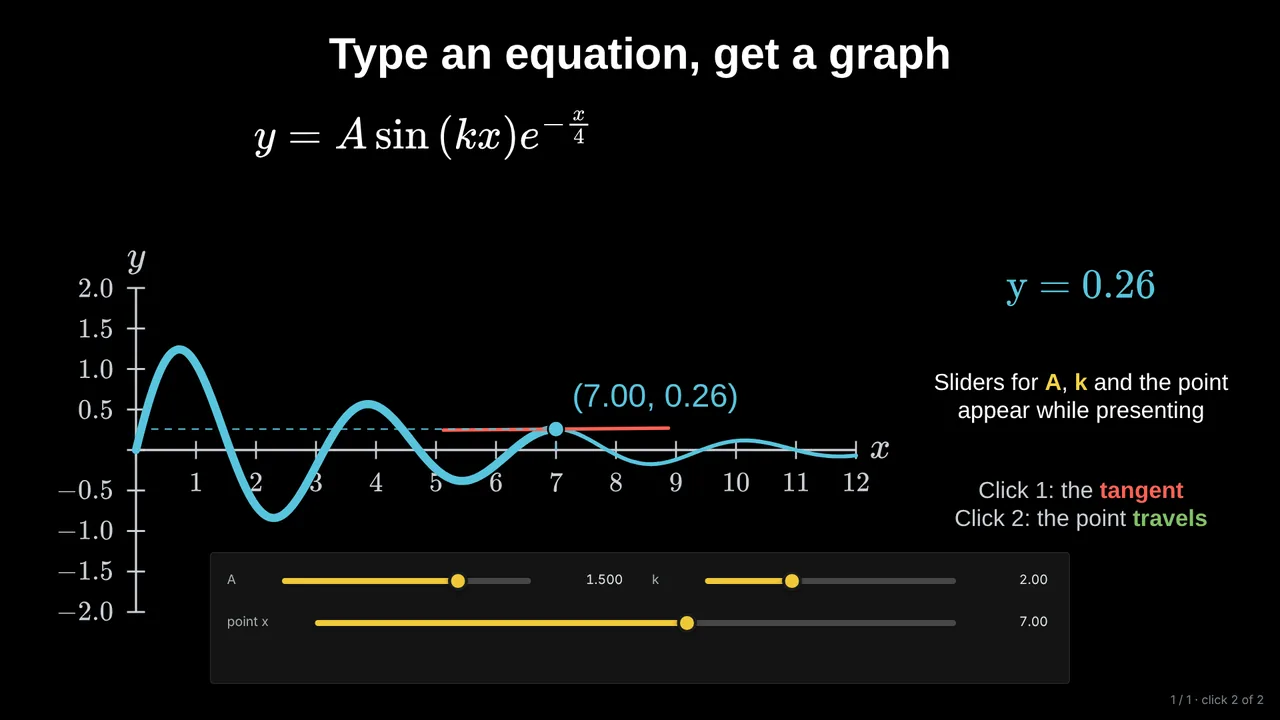
Each point appears on its own click, charts grow, and graphs change live when you drag a slider in front of your audience.
One idea per slide, worked examples revealed step by step, moving diagrams and a quiz at the end.
Choose the Business style: each title states the point, figures become charts and key numbers.
Up to 30 slides, with speaker notes if you ask for them.
16:9 for a screen, vertical for phones, or square for social posts.
Yes, to start. You can try it once without an account: it builds a short deck and shows you the first 2 slides. A free account gets 5 AI credits, then 3 more each month. A deck of up to 6 slides uses 1 credit.
Every slide is a normal Tracé slide: change the text, the numbers, the charts, the colours and what happens on each click.
Yes. Save as PowerPoint puts every slide in a .pptx file with your notes, and it opens in PowerPoint, Keynote and Google Slides. Each slide becomes its final picture, so the animations and sliders stay live in Tracé: present from the browser, share a link, or download a PDF or an MP4 video for those.
From a PDF, it keeps your document’s own facts and numbers. It checks worked steps itself. Like any AI, it can still be wrong, so read your slides before you present.
English, French, Spanish, Portuguese and Arabic (right to left).
Start with an example deck or a blank slide. It takes a minute.