
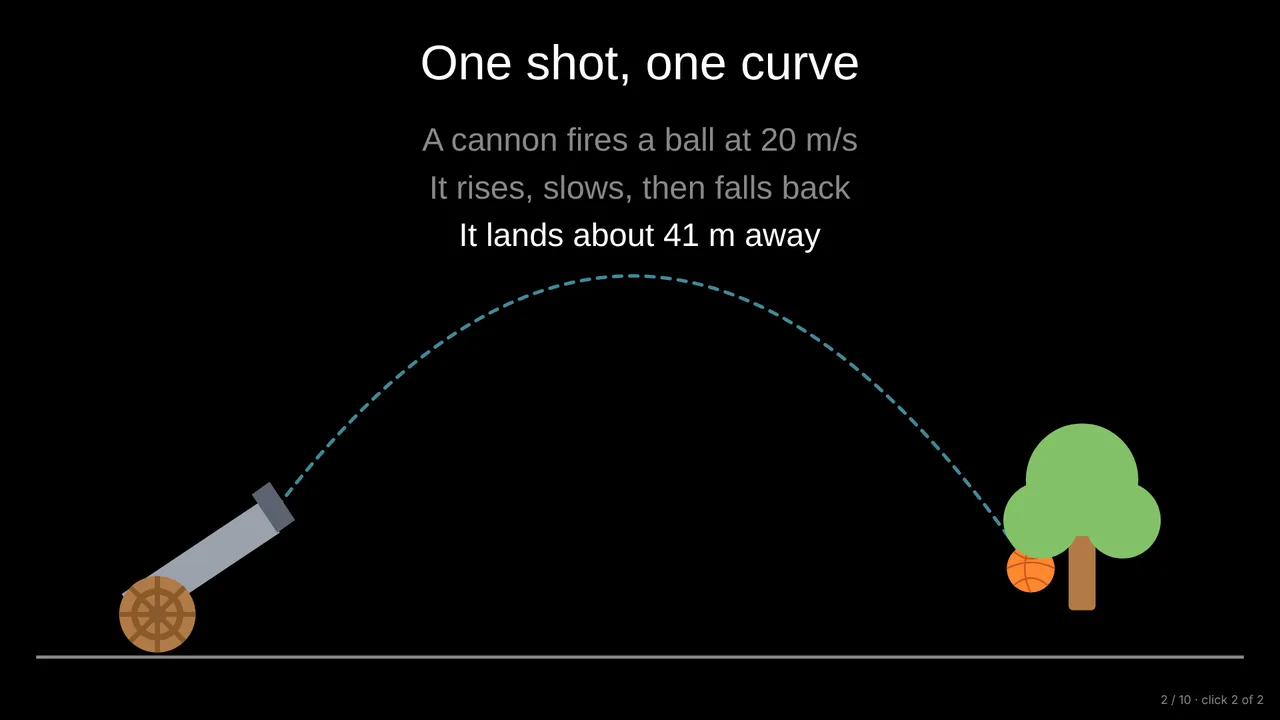
Scenes that set up the problem
The lesson opens with a real situation drawn with the library: a cannon firing, a rocket, a car, with captions that appear one per click.
AI lesson builder
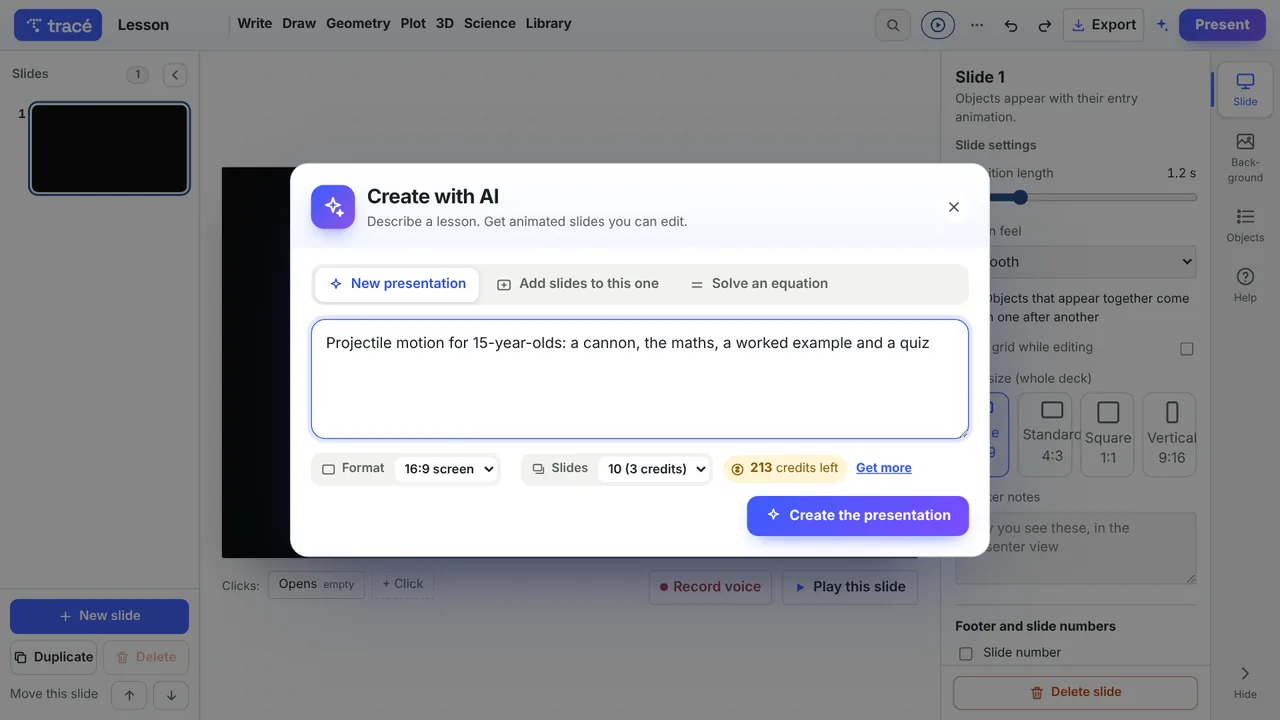
Type what you want to teach, for whom and how many slides. The AI plans the lesson like a story, then builds slides that move: scenes, graphs with points that slide, worked examples, quizzes and a recap. Everything stays editable.
The lesson opens with a real situation drawn with the library: a cannon firing, a rocket, a car, with captions that appear one per click.
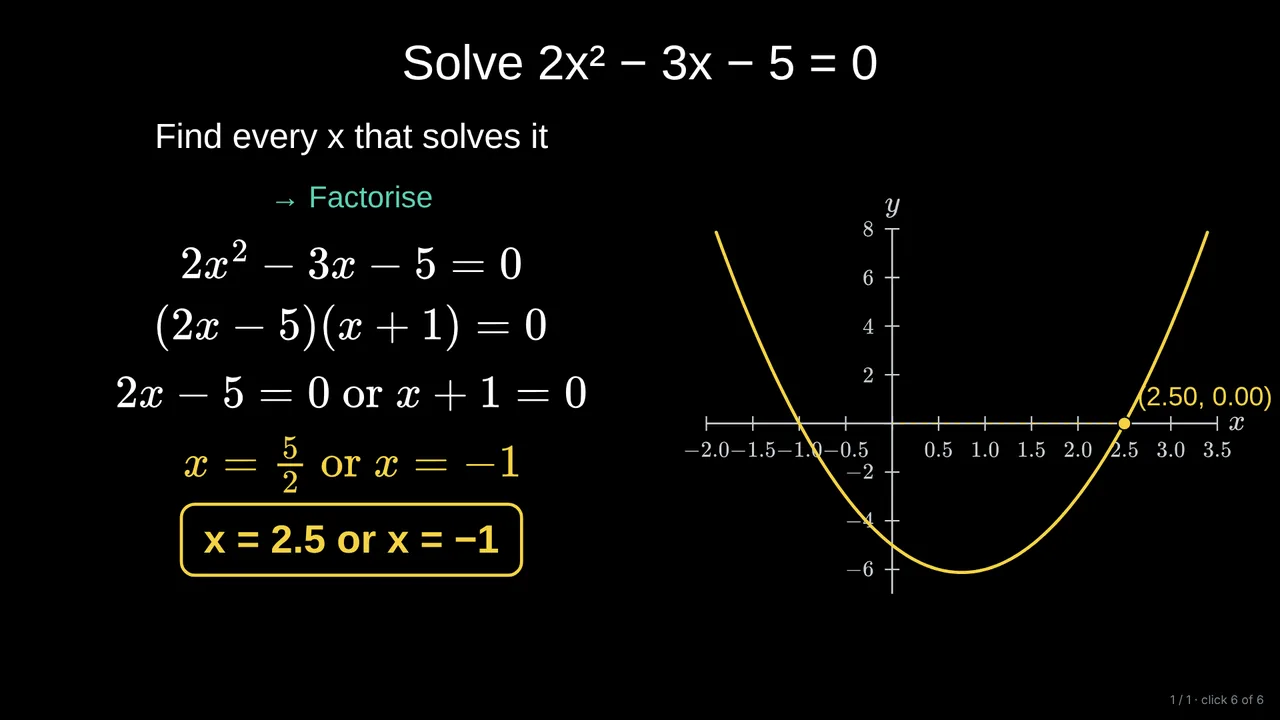
Ask it to solve an equation: it writes the working one step per click, and Tracé puts the answers back into the equation to check them.
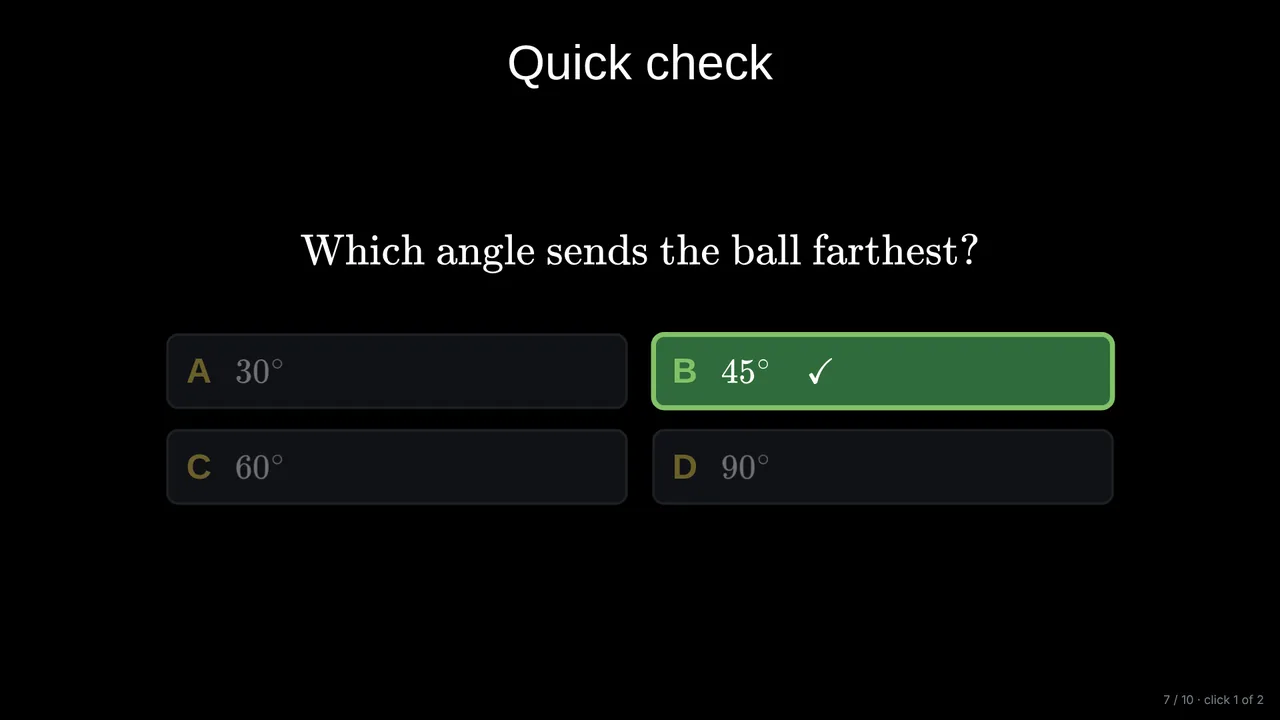
A multiple-choice question in the middle, the key points at the end, and a challenge to think about.
The derivative as a slope: a point sliding along y = x², the secant becoming the tangent, then the area under the curve.
Projectile motion for 15-year-olds, 10 slides: a cannon, the maths, a worked example and a quiz.
Claude, from Anthropic. Tracé gives it detailed instructions, checks every answer, and lays out the slides itself.
Every account gets 5 free credits. Pro includes 30 credits a month, and credit packs never expire.
For equations, Tracé checks the AI’s answers itself and warns you if one is wrong or missing. Always read your slides before class.
English, French, Spanish, Portuguese and Arabic: the slides follow the language of the interface.
Start with an example deck or a blank slide. It takes a minute.