An interactive maths slide is one you can change while you present: drag a slider and the graph redraws, click and the next step of the proof appears, answer a question and the result shows. It turns "here is the answer" into "what do you think happens if…?", which is where students actually think.
What makes a slide interactive
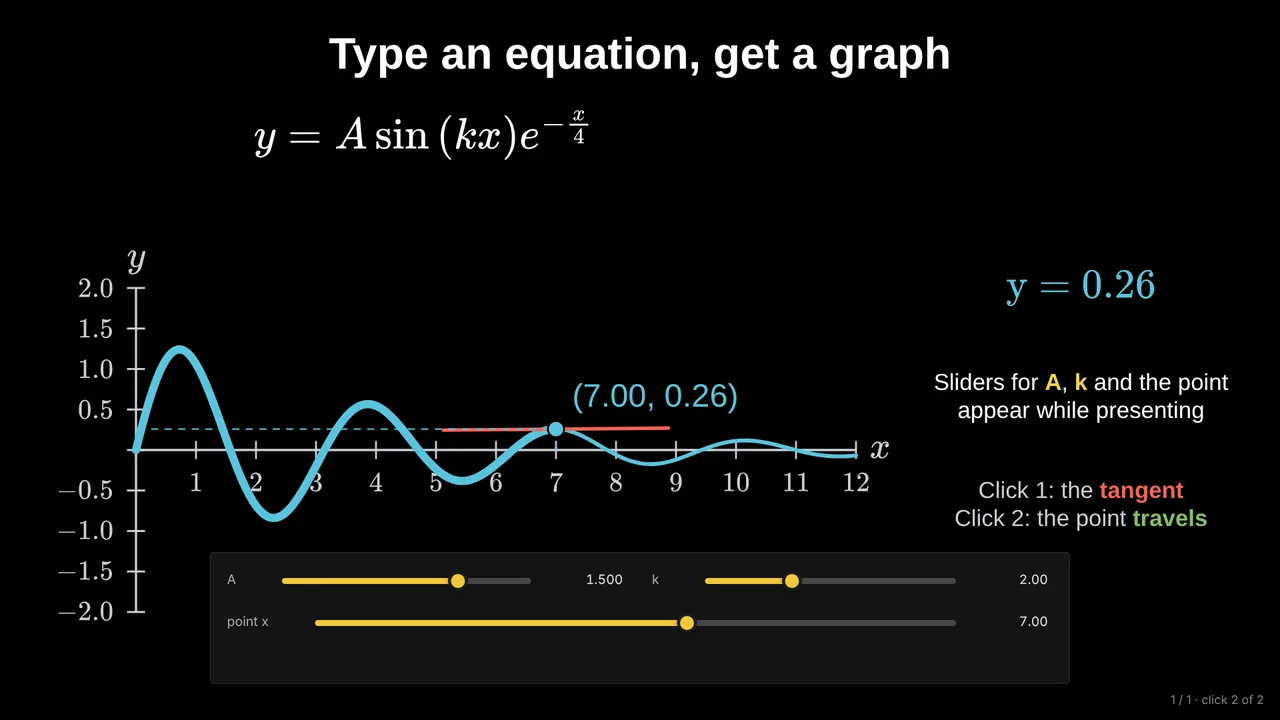
- Live parameters: a slider for a in y = ax², moved in front of the class while everyone watches the parabola change.
- Click-by-click reveals: one step of a worked example per click, so the class can predict the next line before it appears.
- Questions on the slide: a quick multiple-choice check whose answer appears only after the vote.
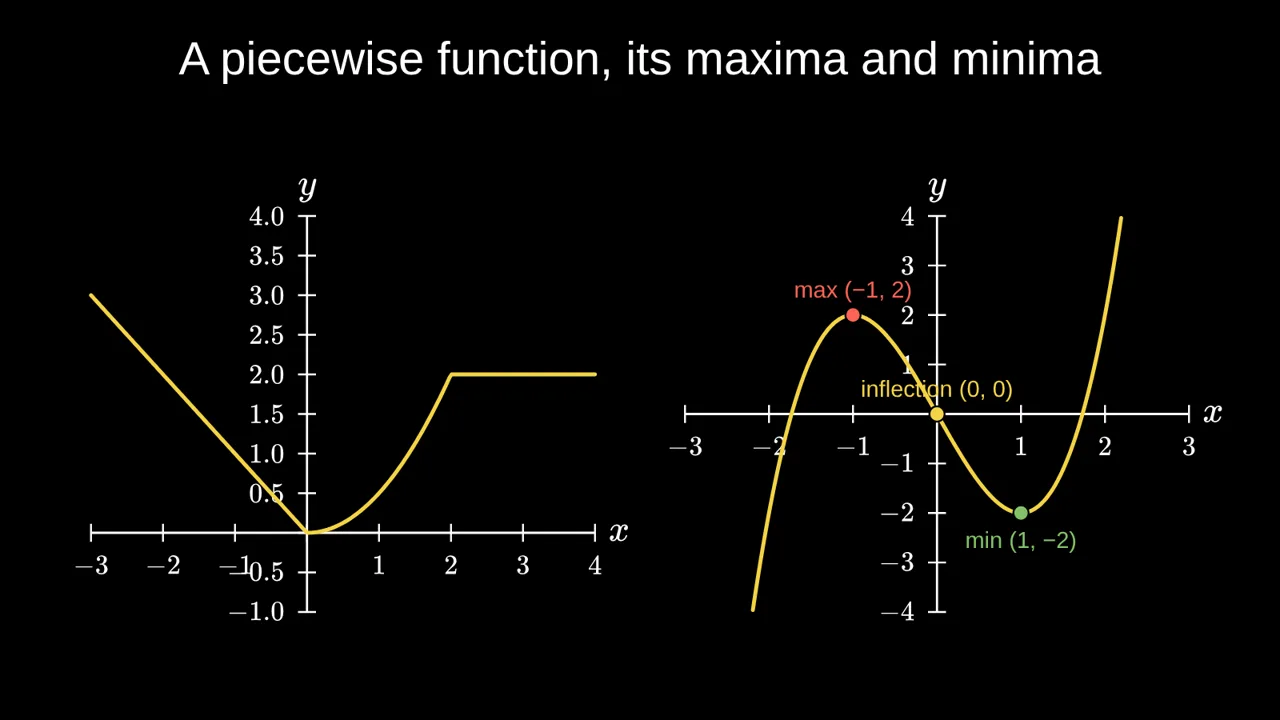
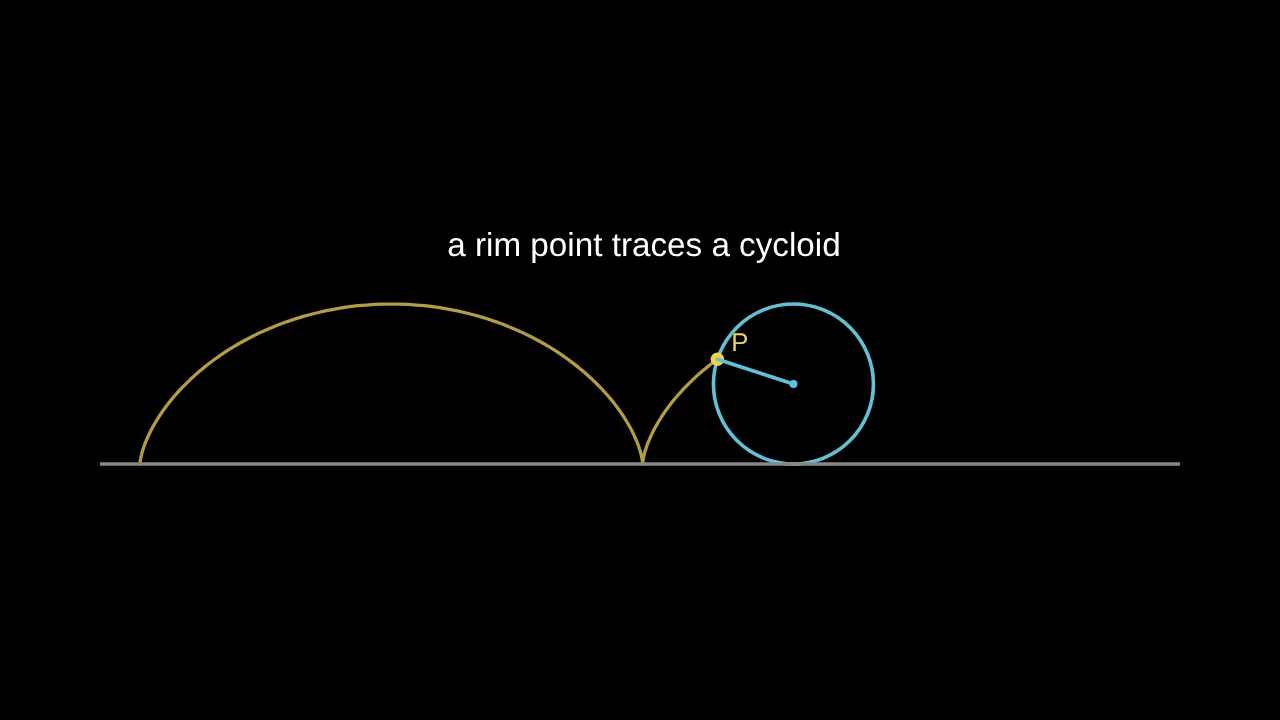
- Motion that is the mathematics: a tangent sliding along a curve, a sum gaining terms, a grid bending under a function.
What each tool does well
- PowerPoint, Keynote, Google Slides: great for text and pictures, and everyone has them. Their animations move shapes around; they do not know the mathematics, so a graph cannot redraw when an equation changes.
- GeoGebra and Desmos: excellent interactive graphs and constructions. In a lesson they usually live in a separate browser tab, so you switch back and forth between them and your slides.
- Manim: beautiful 3Blue1Brown-style videos, written in Python and rendered in advance. Powerful, but not something you change live in class.
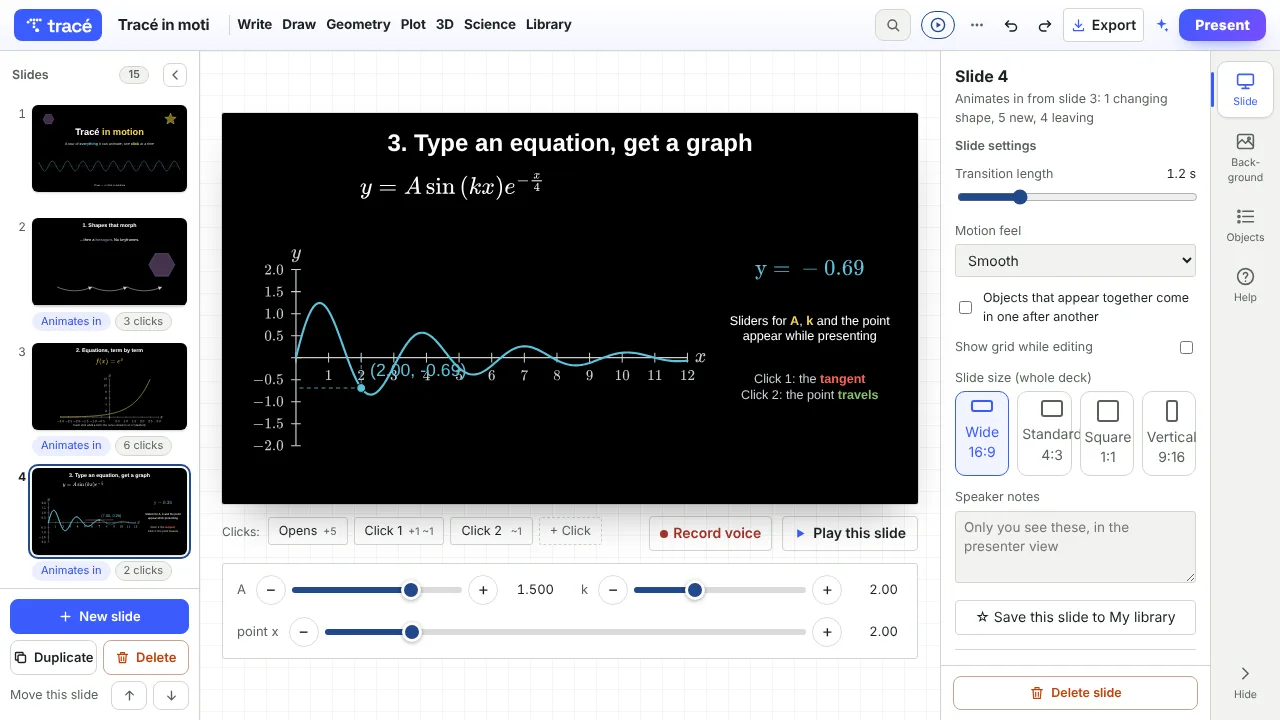
- Tracé: slides that contain the live mathematics: equations become graphs, every step can appear on a click, and sliders work while you present. It runs in the browser, with no code.
Many teachers use several: Desmos for students exploring on their own, slides for the explanation. The point is to have the interaction inside the explanation, at the moment you need it.
Four habits that make it work
- Predict, then reveal. Before each click, ask what will happen. Students who committed to a guess remember the answer.
- One slider per idea. Five sliders on one slide is a toy; one slider and a clear question is a lesson.
- Name what changes. Say "watch the vertex" before you drag, so everyone looks at the same thing.
- Leave a copy. Share the slides as a link so students can replay the clicks and move the sliders at home.
Building one in Tracé
- Open the editor at traceanim.com/app (no account needed to try it).
- Add an equation, for example
y = A sin(k x) e^(-x/4), and press Plot this equation as a graph. - Tick Live slider for A and k.
- Add clicks: a tangent on click 1, the point travelling along the curve on click 2.
- Press Present, or share a link that works on any phone.
If you are short on time, describe the lesson in one sentence and the AI builder makes a first deck you can then edit slide by slide.
Questions
Do interactive slides work on a classroom projector?
Yes: they run in the browser, full screen, like any presentation. Sliders and clicks work with a mouse, a keyboard or a presentation clicker.
Can I still give students a PDF?
Yes. Export a PDF handout with every step, or an MP4 video of the clicks, for students who missed the lesson.
Is it free?
The free plan is enough to make, present and share decks. Pro adds advanced 3D, voice recording on slides, and more AI credits.
More: Tracé as a Manim alternative, without code · How to create math slides, step by step