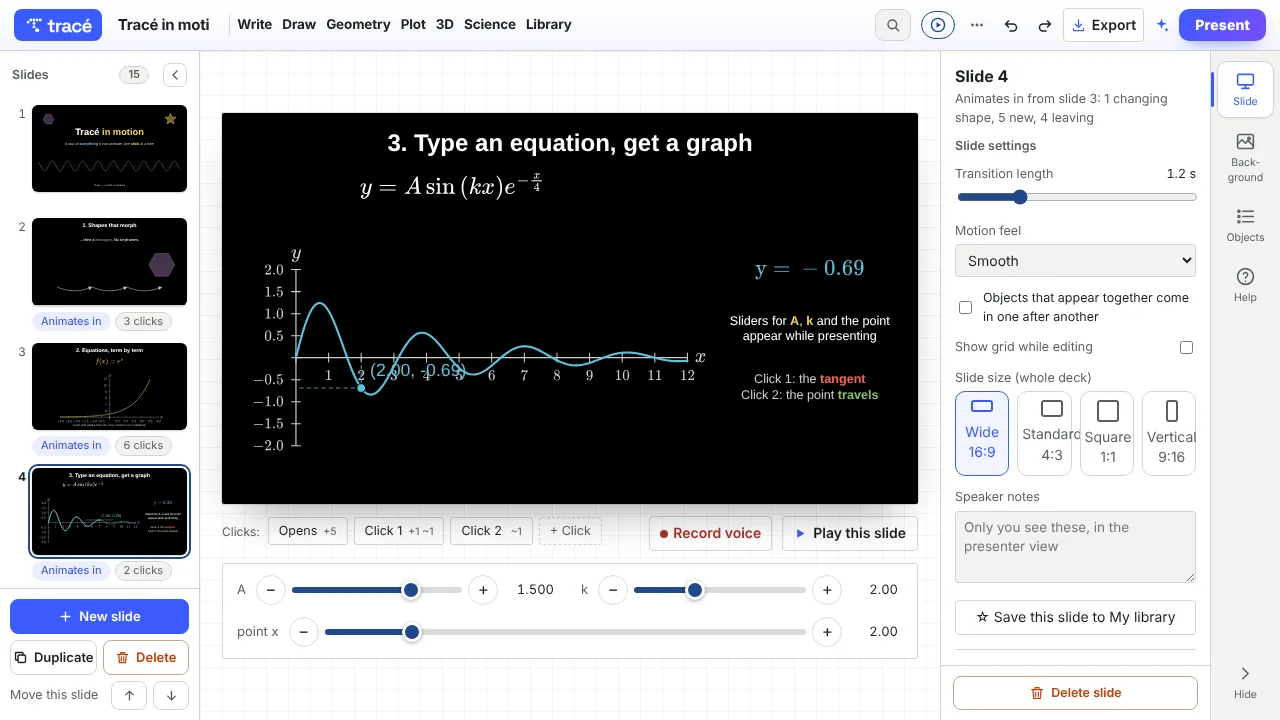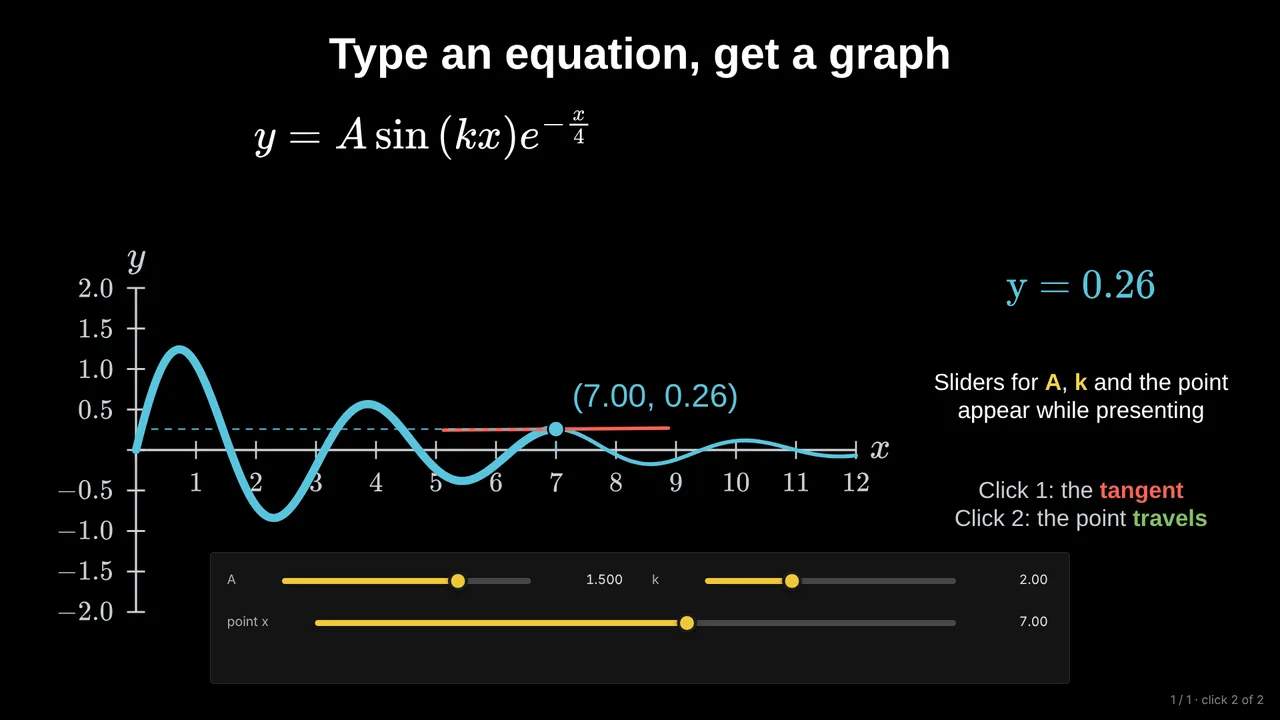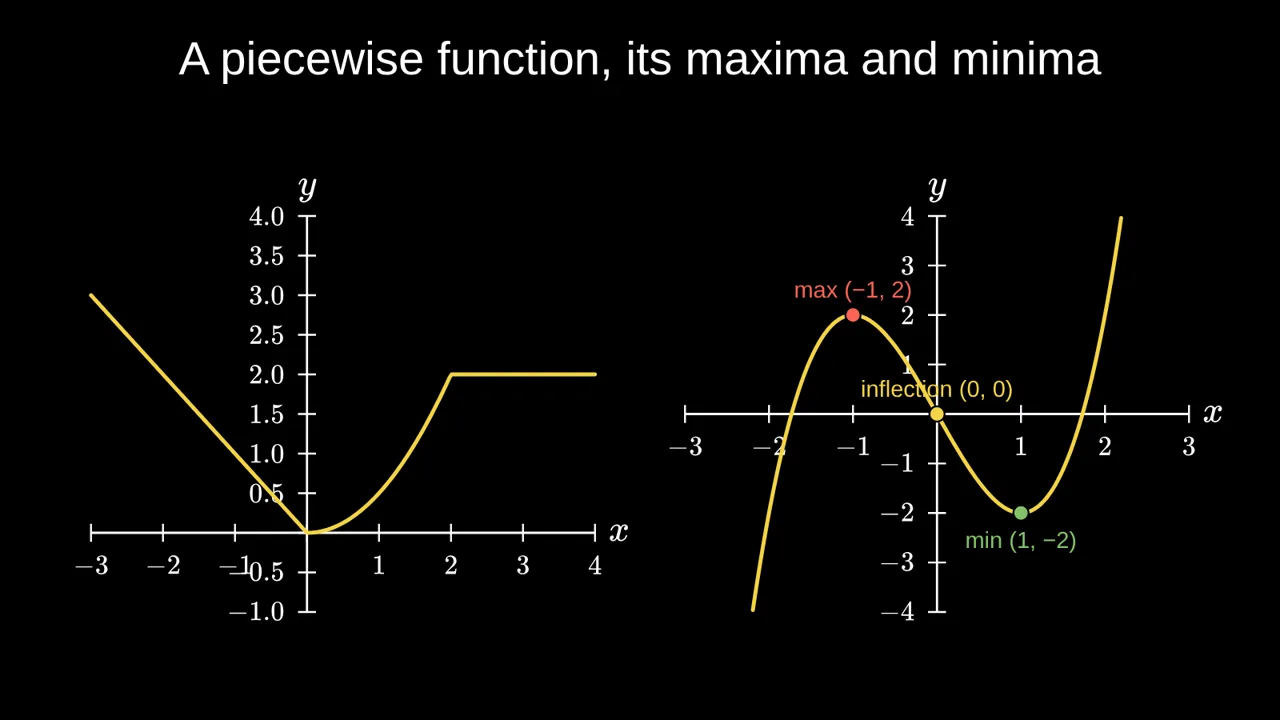
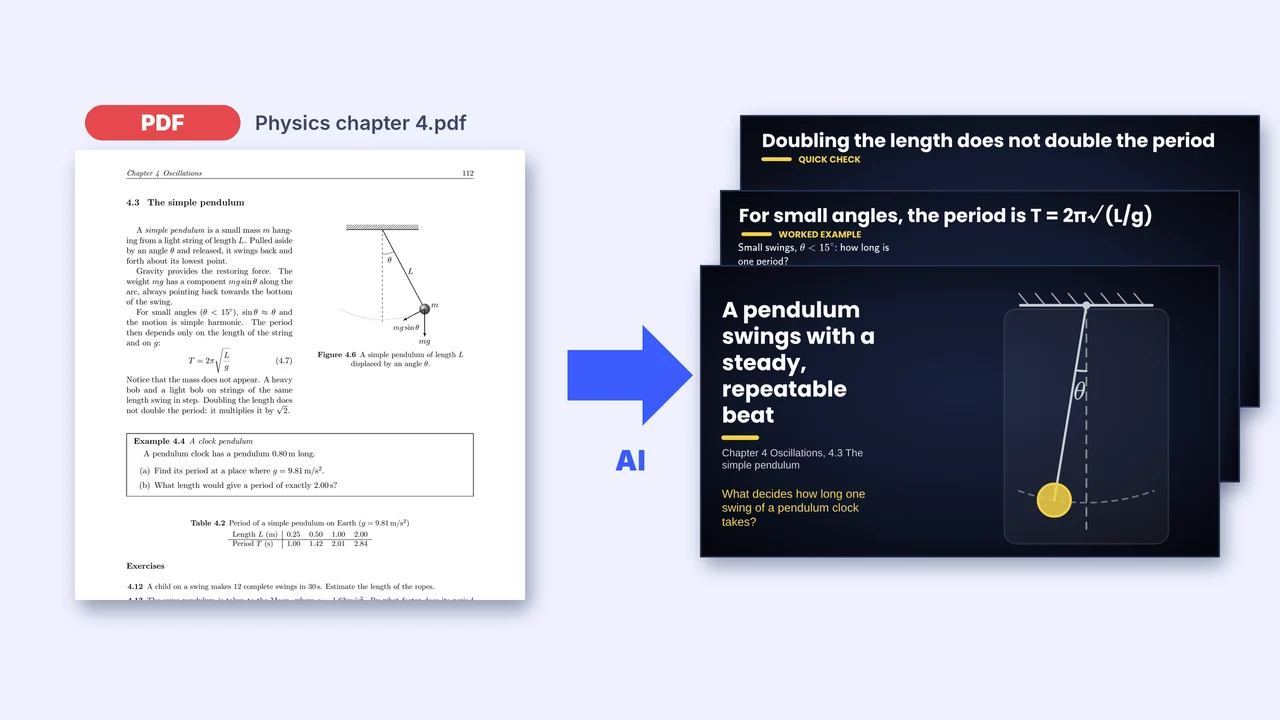
To turn a PDF into slides, upload it to an AI slide maker that reads the whole document, choose the style and the number of slides, then check and edit the result. In Tracé the AI first writes a faithful summary of your file (its definitions, formulas, examples and numbers), then builds one idea per slide, with diagrams that move, worked examples revealed step by step and a quiz at the end. Here is how to get a deck you can trust.
1. Choose what to upload
The best input is one chapter or one lesson, not a whole book. A chapter has a clear topic, so the deck has a clear story. In Tracé you can upload:
- A PDF up to 10 MB: a course chapter, lecture notes, a report.
- Photos of pages, up to 12, taken with your phone. Formulas and figures are read too.
- Pasted text: your own plan or notes.
Add one line of instructions if you like: the level of the class, the length, what to leave out.
2. Make sure it keeps your content
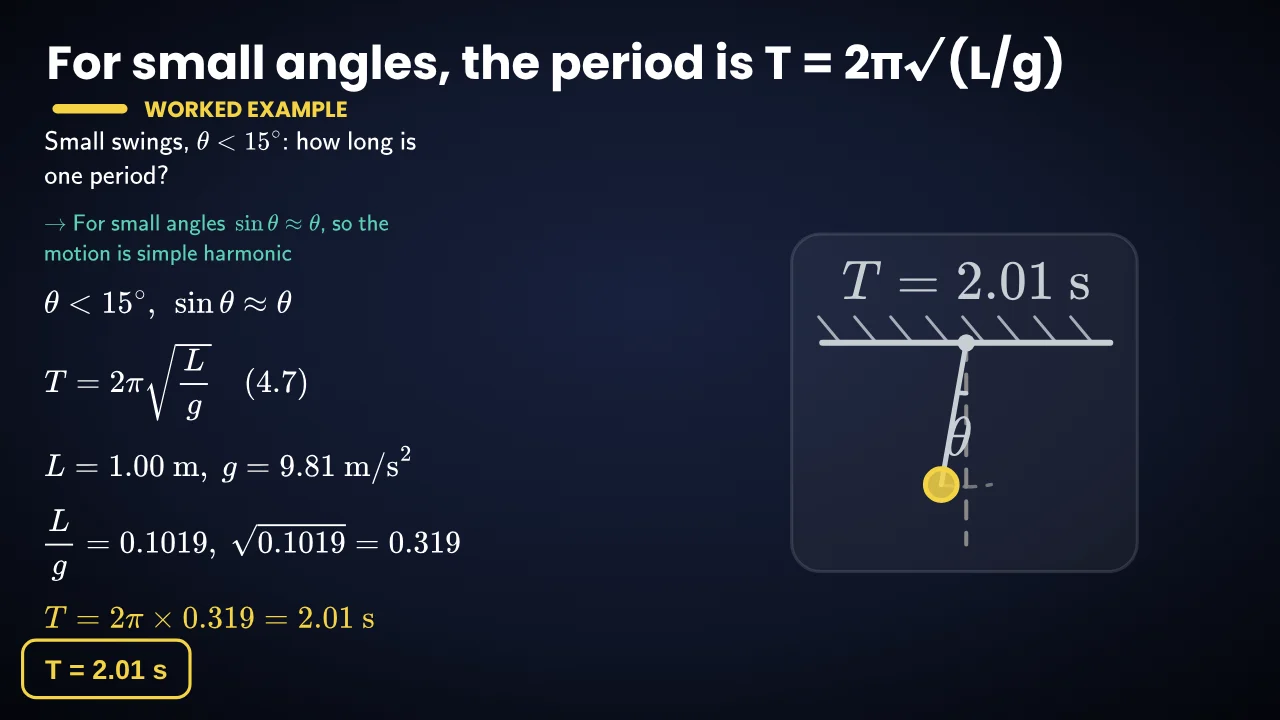
The common problem with AI slide makers is drift: the slides look good but the numbers and examples are not the ones in your course. Tracé works in two passes to avoid it. It first writes a digest of the whole document, with every number and its unit, and a description of every figure. The slides are then built from that digest only: your examples, your exercises, your values, in your order. Worked steps are recomputed by Tracé itself, and a step that does not add up is sent back for correction.
It is still your lesson: read every slide before you present it, as you would read a colleague's slides.
3. Pick the style and the length
Choose Classroom, Lecture, Business, Young learners or Expert, a 16:9, phone or square format, and how many slides (up to 30). Before anything is built, you can ask for an outline, change the plan, and only then generate the slides.
4. Edit, then present
Every slide stays editable: change a word, a number, a colour or an animation. Present full screen from the browser, share a link, or download the deck as a PDF or a video. For a long lecture, the AI can also write speaker notes for each slide.
Questions
Can AI turn a PDF into a PowerPoint?
Several tools export a .pptx file. Tracé does not yet: its slides move live (graphs, sliders, physics), which PowerPoint cannot play. You present from the browser, share a link, or download a PDF or a video.
Is it free?
Every account starts with 5 free AI credits. A deck from a PDF usually uses about 3: one to read the document, the rest to build the slides.
Does it work for any subject?
Yes. It has the most to show in maths and the sciences, where diagrams can move, but any course with definitions, examples and figures works. Slides can be in English, French, Spanish, Portuguese or Arabic.
What about scanned or handwritten pages?
Clear photos of printed pages work well. Where a scan cannot be read, the summary marks it as unclear rather than guessing.
More: Animated math slides for teachers · How to create math slides, step by step