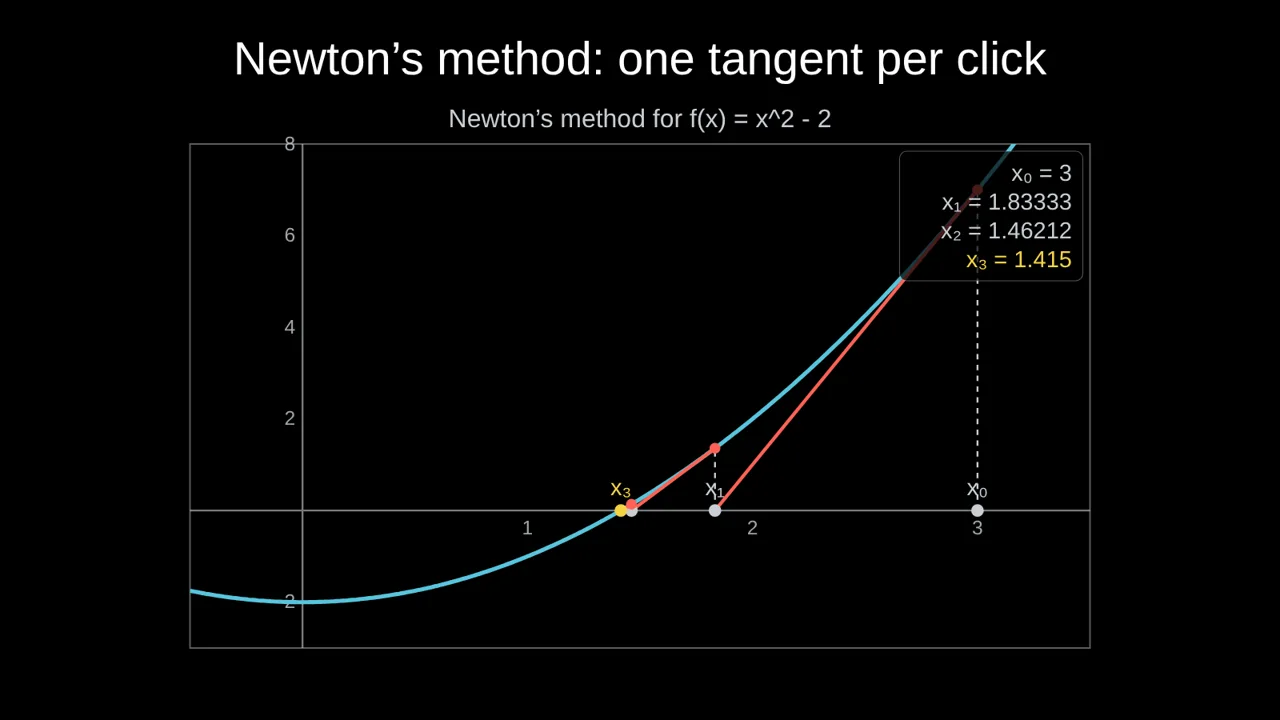
Newton's method finds a root of f by replacing the curve with its tangent and asking where the tangent crosses the x-axis. Drawn one step per click, students see the idea at once, and see why the number of correct digits roughly doubles each step.
The idea in one picture
Start from a guess x₀. The tangent at (x₀, f(x₀)) has slope f′(x₀), so it crosses the axis at
x₁ = x₀ − f(x₀) / f′(x₀)
Repeat from x₁. For f(x) = x² − 2 starting at x₀ = 3:
- x₁ = 3 − 7/6 = 1.83333…
- x₂ = 1.46212…
- x₃ = 1.41500…
- x₄ = 1.41421…, already √2 to five decimal places.
Why it is so fast, and when it fails
Near a simple root, the error after a step is roughly proportional to the square of the error before it (quadratic convergence). In practice: once you are close, the number of correct digits about doubles on each step, which is what the table shows.
It can also go wrong, and it is worth showing that too:
- A flat tangent (f′(x) close to 0) sends the next guess far away.
- A bad start can jump to a different root, or cycle. For f(x) = x³ − 2x + 2 starting at 0, the guesses alternate between 0 and 1 forever.
- A double root (like x² at 0) slows it to linear convergence.
Compare it with bisection
Bisection is slower but safe: if f(a) and f(b) have opposite signs, the root is in between; check the midpoint and keep the half where the sign changes. Each step halves the interval, so you gain about one correct binary digit per step, roughly one decimal digit every 3.3 steps.
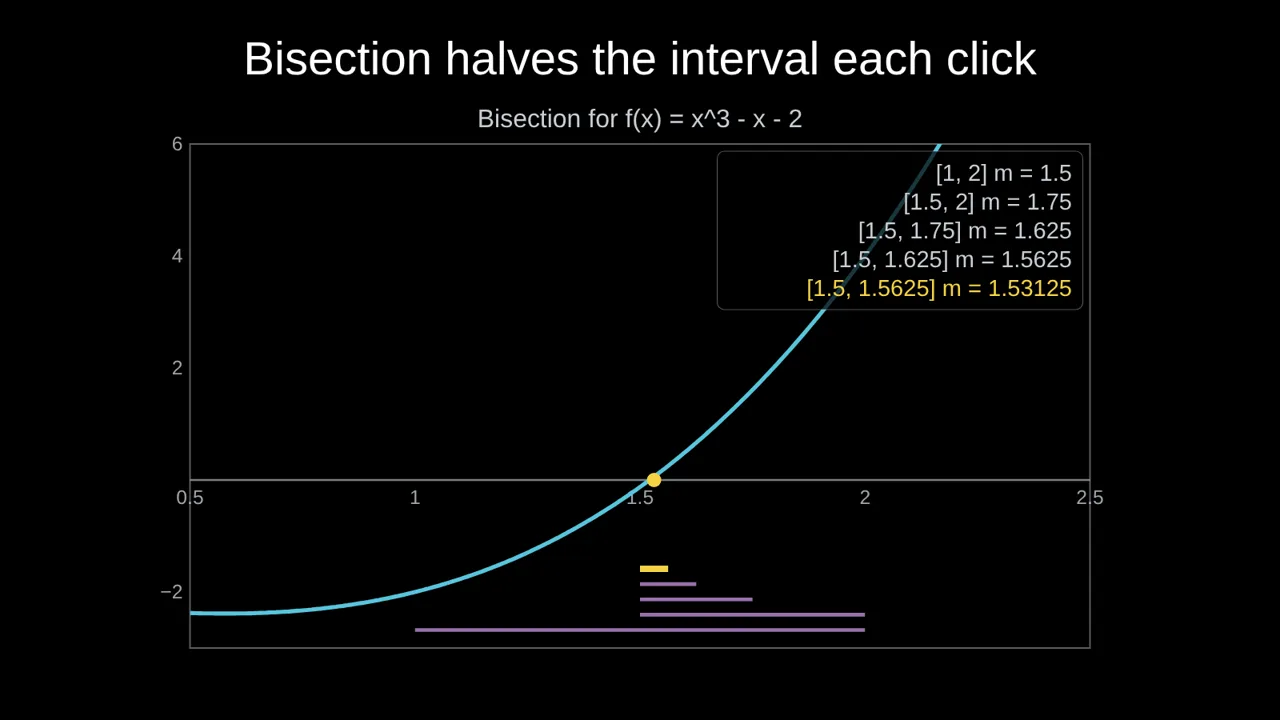
Putting both on consecutive slides makes the trade-off concrete: guaranteed but slow, against fast but fragile.
Build the slide in Tracé
- Open Plot → Root finding (Newton, bisection).
- Type f(x), for example
x^2 - 2, and the start x₀. - Press Reveal one step per click. Tracé adds a click for each step.
- Press Present. Each click draws the next tangent and adds its value to the table.
Switch Method to Bisection and give a and b for the comparison slide. The AI builder can make both: ask for "Newton's method versus bisection for √2, one step per click".
Questions
Can I use my own function?
Yes: any function you can type, such as cos(x) - x or x^3 - 2x + 2 to show a cycle.
Can students see the numbers?
Yes. Show the values lists each iterate next to the graph, newest in yellow.
More: Animated math slides for teachers · How to create math slides, step by step